Migrating to TypeScript 7: Benefits, Risks, and Steps
Aug 13, 2026
•
#typescript
#javascript
•
5 mins read
TypeScript 7.0.2 is the latest stable release, and it changes more than the version number. The compiler and language service have been rebuilt in Go so they can use native execution, shared memory, and parallel work.
For many projects, migrating means much faster type checks, shorter CI jobs, and a more responsive editor. The safest result comes from treating the move as a controlled upgrade: check your tooling first, make implicit configuration explicit, then compare the same checks before and after.
What Changed In TypeScript 7
TypeScript 7 is a native port of the compiler and language service. TypeScript 6 and earlier ran from a JavaScript codebase; TypeScript 7 uses a new Go implementation designed to make better use of modern hardware.
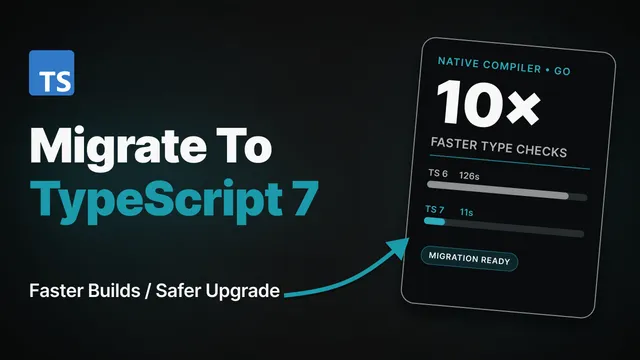
The TypeScript team's release benchmarks show full-build speedups between 7.7x and 11.9x across VS Code, Sentry, Bluesky, Playwright, and tldraw. Those projects also used 6% to 26% less aggregate memory during builds.
The same work improves editor feedback. In the team's VS Code test, the first error appeared in under 1.3 seconds instead of about 17.5 seconds. The new language server also reduced failed commands by more than 80% and crashes by more than 60% compared with TypeScript 6.
These are published benchmarks, not a promise for every repository. Your gain will depend on project size, available CPU cores, project references, and how much time the rest of your build takes.
Why Migrating Is Useful
Faster Local Feedback
A shorter type-check loop makes it practical to run tsc more often. Developers spend less time waiting after changing shared types or switching branches, especially in a large monorepo.
Shorter CI Jobs
TypeScript 7 parses, checks, and emits work in parallel. Type checking can stop being the longest part of a pull request when a runner has enough CPU available.
Lower Memory Use
The official examples used less aggregate memory while building. This can help local development and CI runners that currently approach their memory limit, although you should measure your own peak usage.
More Predictable Configuration
TypeScript 7 carries forward the modern defaults introduced in TypeScript 6. New projects get stricter checks and current JavaScript module settings without a long list of flags. Existing projects should set those choices explicitly so an upgrade does not silently change output.
A More Stable Editor
The new language server uses the Language Server Protocol, or LSP, and can handle simultaneous work across threads. That gives editors a common integration point and improves responsiveness on large projects.
Check Whether Your Tooling Is Ready
TypeScript 7.0 does not expose a stable programmatic compiler API. That is the main migration constraint.
Search your dependencies and build scripts for tools that import the typescript package directly. Compiler integrations, custom transformers, some linting setups, and bundler loaders may still need TypeScript 6.
Embedded-language workflows need extra care too. The TypeScript team says Vue, MDX, Astro, and Svelte projects may not yet benefit from TypeScript 7, while Angular's template type checking may still rely on TypeScript 6. Check the current support notes for your framework before changing the main branch.
If one of these limitations applies, keep TypeScript 6 for the affected tool and test TypeScript 7 separately at the command line. The official release describes a side-by-side setup with the @typescript/typescript6 compatibility package.
Migrate In Small Steps
1. Record A Baseline
Run the same commands you expect to use after the upgrade:
npx tsc --version
time npx tsc --noEmit
npm test
npm run build
Save the compiler version, type-check time, build time, and any existing errors. A baseline tells you whether TypeScript 7 helps your project and prevents old failures from being blamed on the upgrade.
If your package manager or operating system does not provide time in this form, use the timing output from your task runner or CI service.
2. Move Through TypeScript 6 If You Are On 5.x
TypeScript 7 is designed to match TypeScript 6 when the project already compiles with stable type ordering and without ignored deprecations. If you are still on TypeScript 5.x, upgrade to the latest TypeScript 6 patch first.
Enable stable type ordering while you are on TypeScript 6:
{
  "compilerOptions": {
    "stableTypeOrdering": true
  }
}
Then remove deprecated options and fix the resulting errors. TypeScript 7 makes several TypeScript 6 deprecations into hard errors, so this intermediate step separates configuration cleanup from the native compiler change.
3. Install The Stable Release
Install the exact version first so the migration is repeatable:
npm install --save-dev typescript@7.0.2
npx tsc --version
After your checks pass, decide whether your repository should keep the exact version or use the version range required by its dependency policy.
4. Make Important Defaults Explicit
TypeScript 7 changes several defaults. A typical application with source code in src might start with:
{
  "compilerOptions": {
    "strict": true,
    "module": "esnext",
    "target": "es2025",
    "rootDir": "./src",
    "types": ["node"],
    "noUncheckedSideEffectImports": true
  },
  "include": ["src"]
}
Do not copy this file without checking your runtime. Browser applications may not need node in types, and libraries may need different module or target settings.
Pay particular attention to these TypeScript 7 defaults:
strictistrue.moduleisesnext.targetis the current stable ECMAScript version beforeesnext.rootDiris the directory containingtsconfig.json.typesdefaults to an empty list.noUncheckedSideEffectImportsistrue.stableTypeOrderingis always enabled.
Explicit values document what the project expects and keep emitted paths, global types, and module output stable.
5. Fix Errors By Category
Run the compiler after each configuration change:
npx tsc --noEmitGroup failures instead of fixing them in file order:
- Missing Node, test-runner, or framework globals usually point to the new
typesdefault. - Changed output paths usually mean
rootDirneeds an explicit value. - Side-effect import errors can reveal a misspelled CSS, setup, or polyfill import.
- Deprecated compiler options need a supported replacement or removal.
- JavaScript and JSDoc-heavy projects should compare behavior with the detailed TypeScript 6-to-7 change list.
Fixing one configuration cause can remove hundreds of repeated errors.
6. Verify Runtime Behavior
A successful type check is necessary, but it does not prove the built application behaves correctly. Run the complete repository checks:
npx tsc --noEmit
npm run lint
npm test
npm run build
Inspect generated JavaScript and declaration files if you publish a library. Also run a production-like smoke test for the application paths that matter most.
7. Update CI And Editor Setup
Make sure CI installs the lockfile and runs the repository's local compiler rather than a global tsc. Compare its timing and memory use with the baseline.
For VS Code, use the TypeScript 7 language server support described in the release notes. If your editor or framework plugin is not ready, keep its TypeScript 6 language service while you evaluate TypeScript 7 at the command line.
Decide From Measurements
Migration is a good fit when the project compiles cleanly, its tools do not require the missing compiler API, and the measured improvement justifies the change.
Keep the upgrade isolated if a framework plugin or custom compiler integration still depends on TypeScript 6. The compatibility package exists for this transition, so waiting for TypeScript 7.1 support in one tool does not prevent you from testing the new compiler elsewhere.
For the current package version, check the TypeScript npm package. For migration details and support limits, use the official TypeScript 7.0 announcement and the TypeScript 6.0 release notes.
Summary
TypeScript 7 offers a clear benefit: much faster type checking and editor feedback from a native, parallel compiler. Migrate through TypeScript 6 when needed, audit tools that use the compiler API, make configuration explicit, and compare the same checks before and after the upgrade.