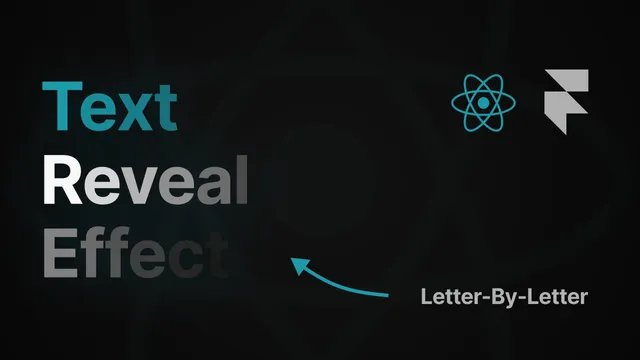
Elegant Text Reveal Effect (Letter-by-letter) using Framer Motion
Feb 21, 2024
•
#react
#animations
•
3 mins read
Video version
Text Version
Have you ever seen that elegant text animation? In this tutorial I’m about to show you how we can create that letter-by-letter reveal animation that just looks gorgeous. Let’s get started!
Let’s start from scratch by scaffolding a React/Typescript template with Vite. Install npm dependencies and run a local dev server:
npm create vite . -- --template react-ts
npm i
npm run dev
Next, clear the boilerplate:
// src/App.tsx

function App() {
  return (
    <>
      <h1>Elegant Text Reveal</h1>
    </>
  );
}
Insert the contents above as variables in the App component. Notice that the text includes UTF-16 characters:
// src/App.tsx

import "./App.css";

const heading = "Elegant Text Reveal"
const text =
  "🌐✨ Transform your web content using Framer Motion's UTF-16 powered text animations. Each character, a vibrant performer, dances dynamically, weaving a captivating narrative. Elevate user engagement with the art of animated storytelling. 🚀🎉 #WebDev #Animation";

function App() {
  return (
    <>
      <h1>{heading}</h1>
			<p>{text}</p>
    </>
  );
}

export default App;
Step 1. Text splitting
First, we need to split the text into an array of characters. Let’s create a function called splitStringUsingRegex in utils function.
‘utils’ folder name for all the utility functions in my projects.The function accepts an inputString with type of string and returns an array of each character from the string.
The regular expression is there to match any character (including newlines) in a Unicode-safe manner
Next, we Iterate through the string using regex and push each character into the 'characters' array.
Finally, we have to return the characters array.
While a simple .split("") method works in most cases, to handle all characters accurately, including UTF-16 characters, we use a regular expression approach:
// utils/splitStringUsingRegex.tsx

function splitStringUsingRegex(inputString: string): string[] {
  const characters: string[] = [];
  const regex = /[\s\S]/gu;

  let match;
  while ((match = regex.exec(inputString)) !== null) {
    characters.push(match[0]);
  }

  return characters;
}

export default splitStringUsingRegex;
Import the utility function into the App component and split the text:
// ...
import splitStringUsingRegex from "./utils/splitStringUsingRegex";

// ...

function App() {
	const headingChars = splitStringUsingRegex(text);
  const textChars = splitStringUsingRegex(text);

// ...
To visually demonstrate why the regex approach is more robust , let’s split our string using both methods and log the results to the console:
console.log("Simple split: ", text.split(""));
// [
    "\ud83c",
    "\udf10",
    "✨",
    " ",
    "T",
    "r",
   //...
]

console.log("Split by regex: ", textChars);
// Split by regex: [
    "🌐",
    "✨",
    " ",
    "T",
    "r",
// ...
]
In the first output, emoji characters are split into two elements, but the regex approach handles them properly.
Step 2: Animation
We're using Framer Motion for our animations. After installing it with npm i framer-motion, we'll add animation logic to our components.
- Import Libraries: In the src/App.tsx file, import the necessary modules from Framer Motion:
- Define Animation Variants: Set up animation variants to control the animation behavior. We define two variants: hidden and reveal, which control the opacity of the characters.
- Implement Animation Logic: Inside the App component, map over the characters of the heading and text, and wrap each character with a motion.span component. Apply the animation variants to these motion.span components.
The parent h1 and p elements should also be converted to motion components to orchestrate the characters animation
- Explanation:
- Customization: You can experiment with the staggerChildren and duration values in the transition prop to adjust the timing and appearance of the animation according to your preference.
That's all! Feel free to experiment with the animation parameters to achieve your desired effect. Happy coding!